
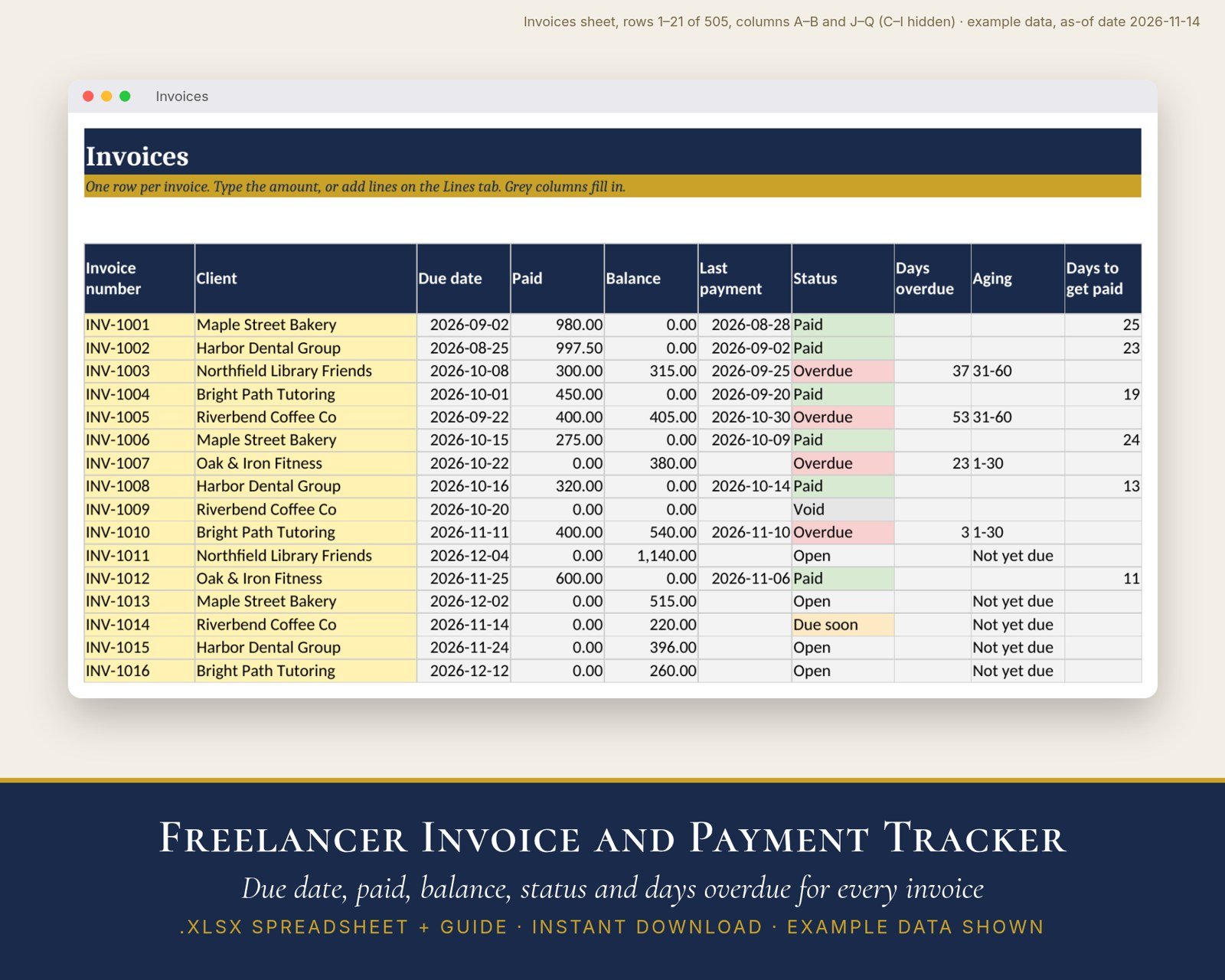
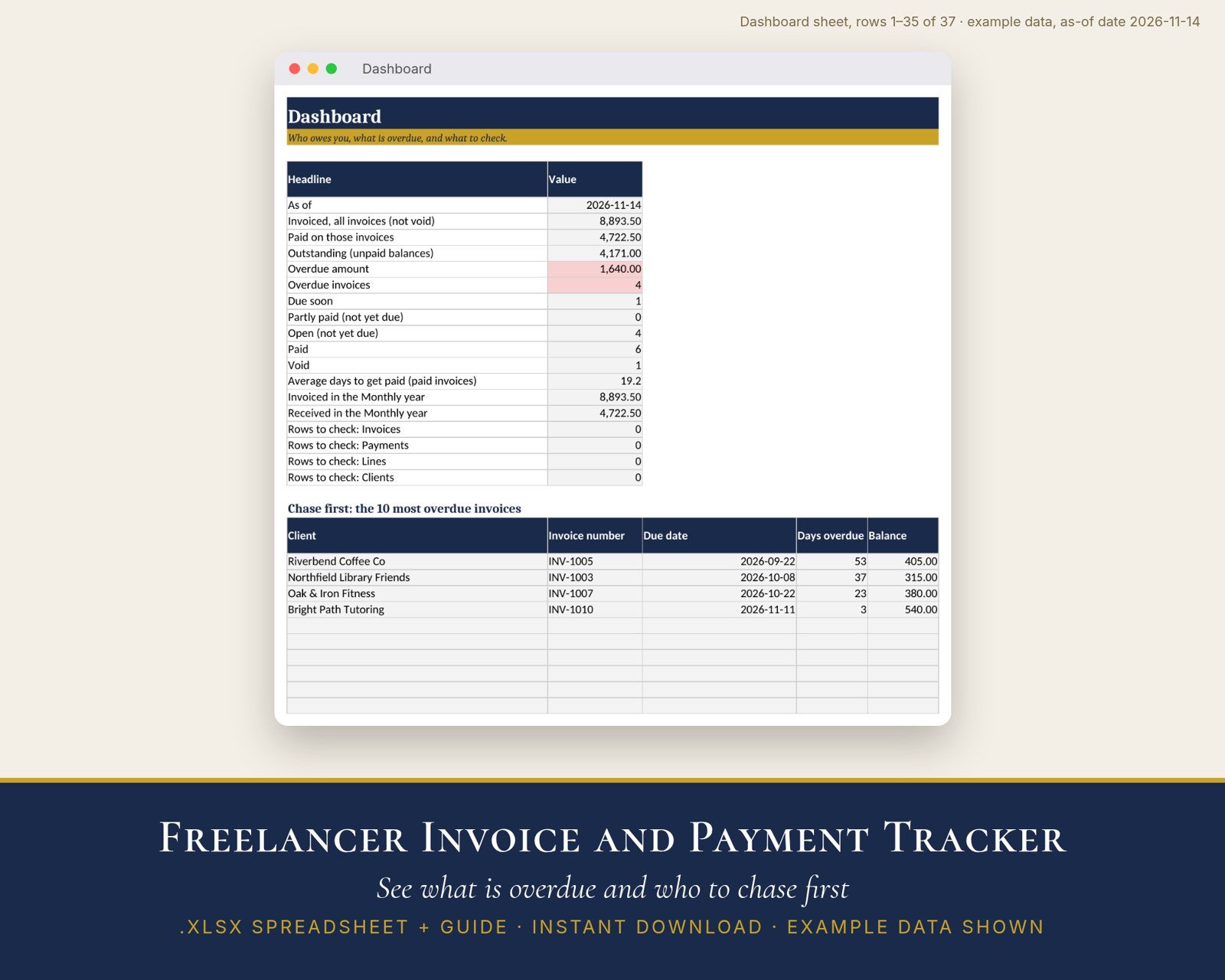
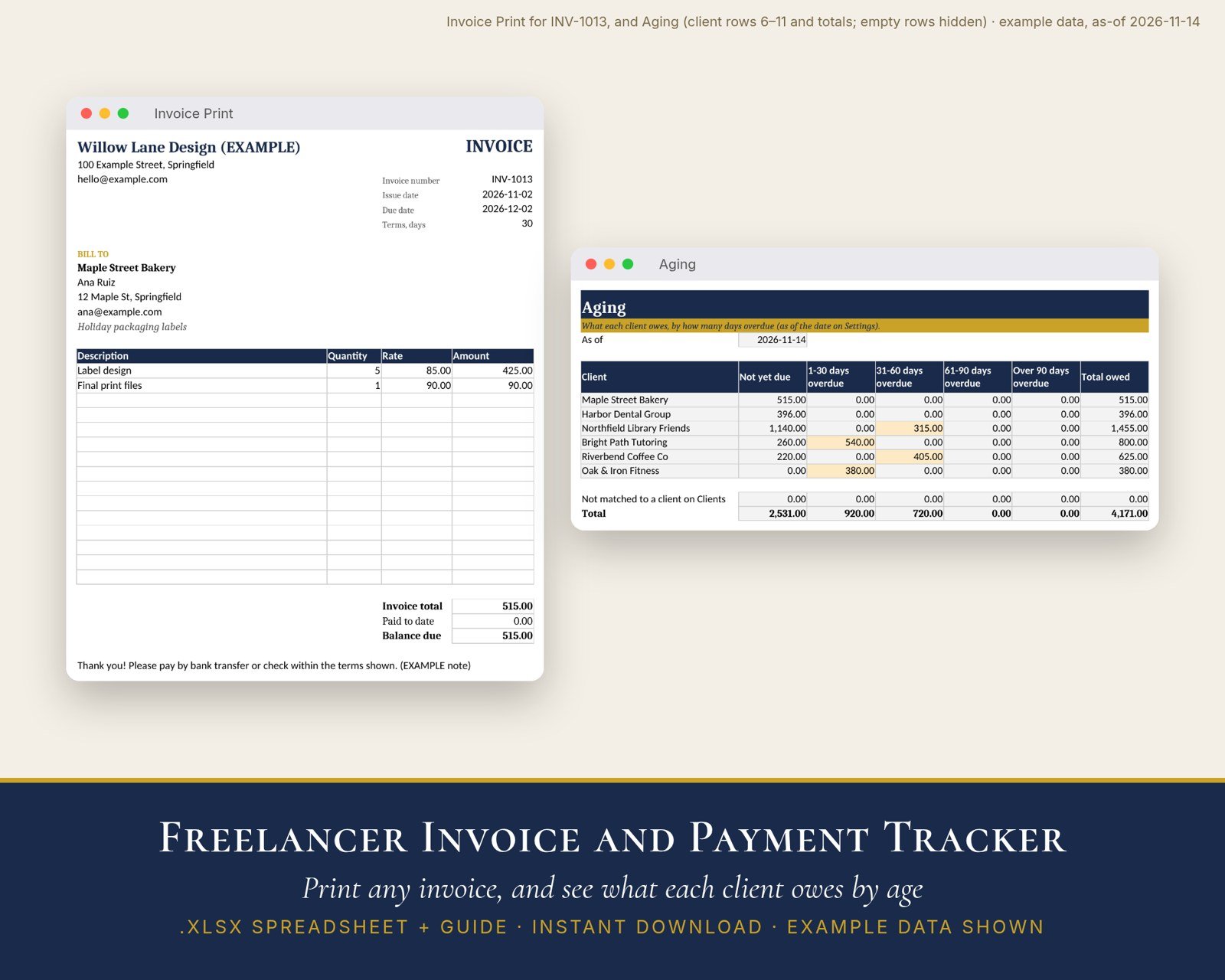
Covers: invoices you send to clients as a freelancer or small service business, in one currency: up to 100 clients with their own payment terms, 500 invoices (typed as one amount or built from up to 1,000 line items), 1,000 payments including part payments, each invoice’s due date, amount paid, balance and status (Open, Due soon, Partly paid, Overdue, Paid, Void), days overdue, an aging summary by client (not yet due, 1-30, 31-60, 61-90 and over 90 days overdue), average days to get paid, invoiced and received by month for a year you choose, a list of the 10 most overdue invoices, and a printable invoice for any invoice number.
Does not cover: sales tax, VAT or any other tax; income tax or Form 1099 reporting; discounts, late fees or interest; more than one currency or business; sending invoices, reminders or payment links (it is a spreadsheet: print or save the invoice as PDF and send it yourself); payments you make to others (bills or contractors); accrual accounting or bookkeeping; or legal or tax advice.
A record-keeping aid, not accounting, tax or legal advice.
It is easy to miss a late invoice until you need the money. This spreadsheet keeps every invoice and payment in one place and shows, each day you open it, what is overdue and who to follow up with.
What’s inside (10 tabs + a 3-page guide)
- Start Here: the scope, how it works and every rule written out
- Dashboard: invoiced, paid, outstanding and overdue totals; counts by status; average days to get paid; rows to check; and the 10 most overdue invoices to chase first
- Settings: your business details, usual payment terms, the “Due soon” window, the as-of date (today, unless you type a date) and a note printed on every invoice
- Clients: up to 100, with contact details, their own payment terms and totals for each client
- Invoices: up to 500, with due date, paid, balance, status, days overdue, days to get paid and a Check column
- Lines: up to 1,000 optional line items (quantity × rate)
- Payments: up to 1,000, including part payments
- Aging: each client’s unpaid balance in Not yet due, 1-30, 31-60, 61-90 and Over 90 days overdue
- Monthly: invoiced and received by month for the year you choose
- Invoice Print: pick an invoice number and print it or save it as PDF
How the numbers are worked out
- Due date = issue date + terms (this invoice, else the client, else your usual terms)
- Balance = amount − all payments with that invoice number
- Days overdue = as-of date − due date; an invoice due today is not yet overdue
Good to know
- .xlsx spreadsheet plus a PDF guide. Made for Excel or Google Sheets; tested in LibreOffice only. A text file explains how to open it in Google Sheets.
- Comes filled with labeled example data for a made-up freelance designer so you can see how it works. Clear the yellow cells before you start.
- The as-of date uses TODAY(), so statuses and days overdue update each day you open the file.
- No macros. No tax is calculated. Digital download only. Nothing is shipped.
How this was made: The spreadsheet formulas, layout, example data, guide and instructions were made with AI assistance and reviewed before release. Every formula was tested in LibreOffice against an independent calculation in 12 cases.


Reviews
There are no reviews yet.