
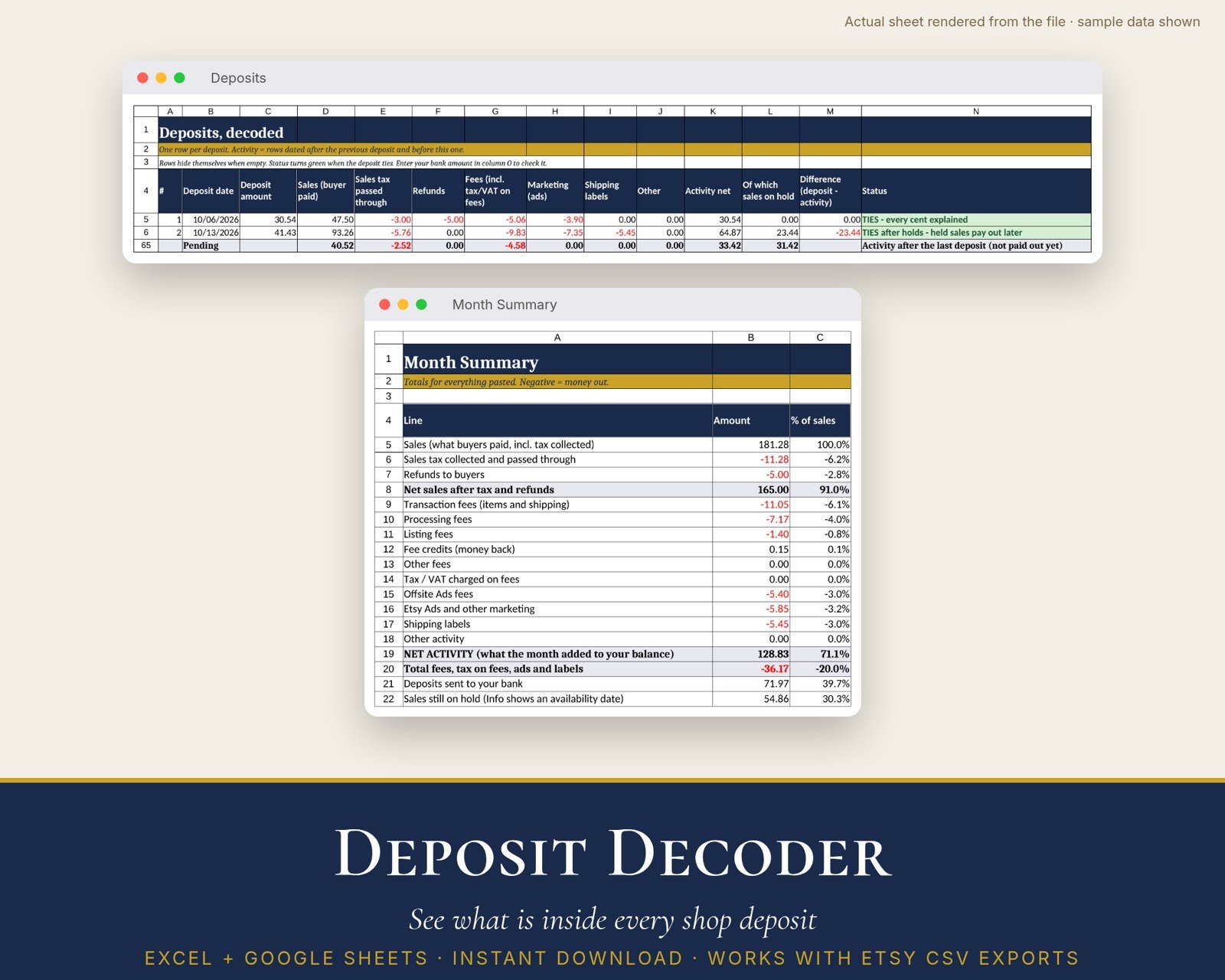
Your shop doesn’t pay you per sale. It sends a lump sum, and the monthly statement explains it across dozens of rows. Deposit Decoder reads that statement and tells you what’s inside every deposit: sales, sales tax passed through, refunds, fees, ads, shipping labels and holds. It also shows whether every cent is accounted for.
Etsy Help explains how to work out a deposit by hand from the monthly statement CSV: find the last deposit, add up the fees and taxes since then, and leave out sales that aren’t available yet (the Info column shows when those funds become available). [1] Deposit Decoder does that sum for every deposit at once.
Built for Etsy’s monthly statement CSV (tested with synthetic sample data only): you paste in the monthly statement CSV. [1] See “Honest testing note” below.
Features:
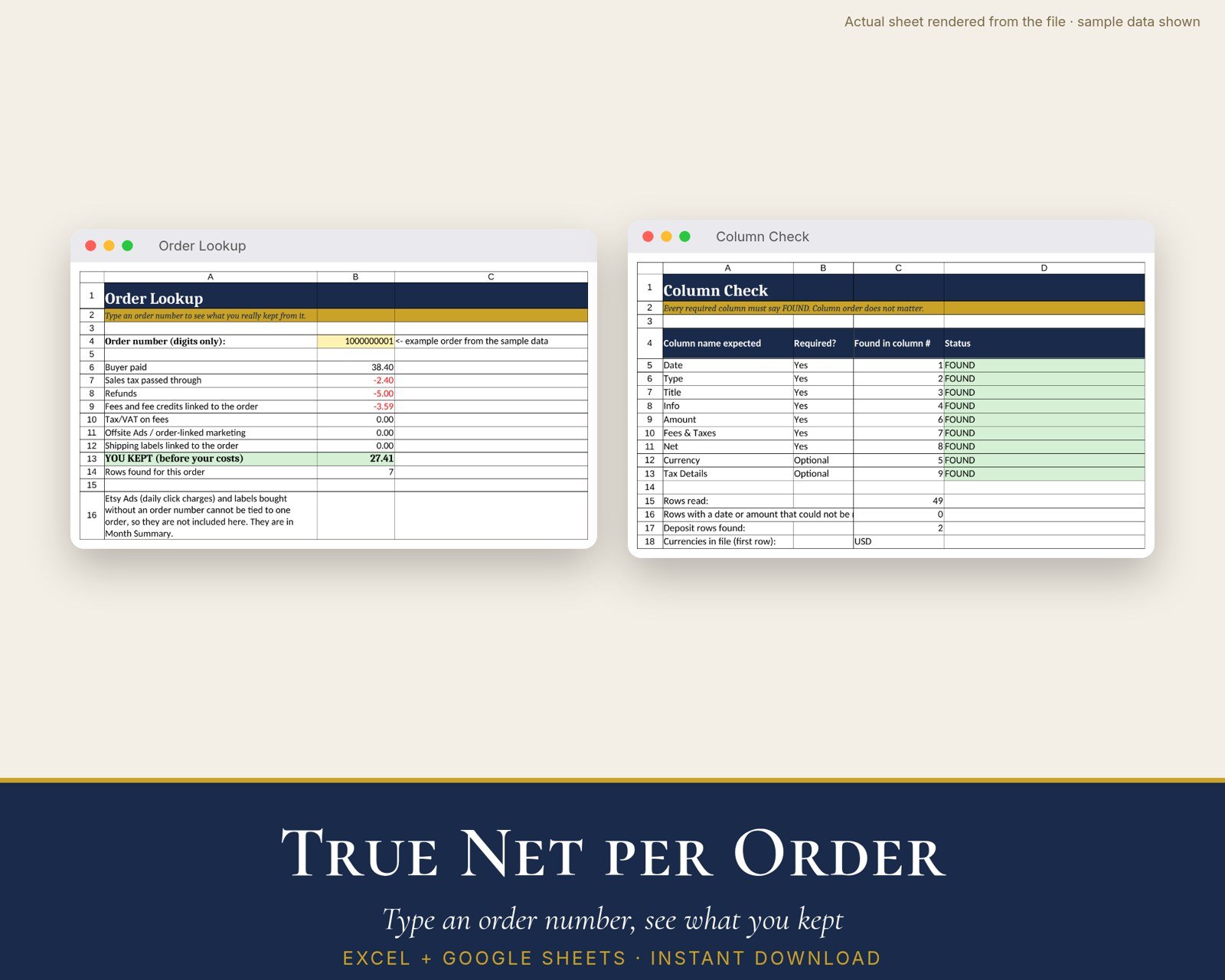
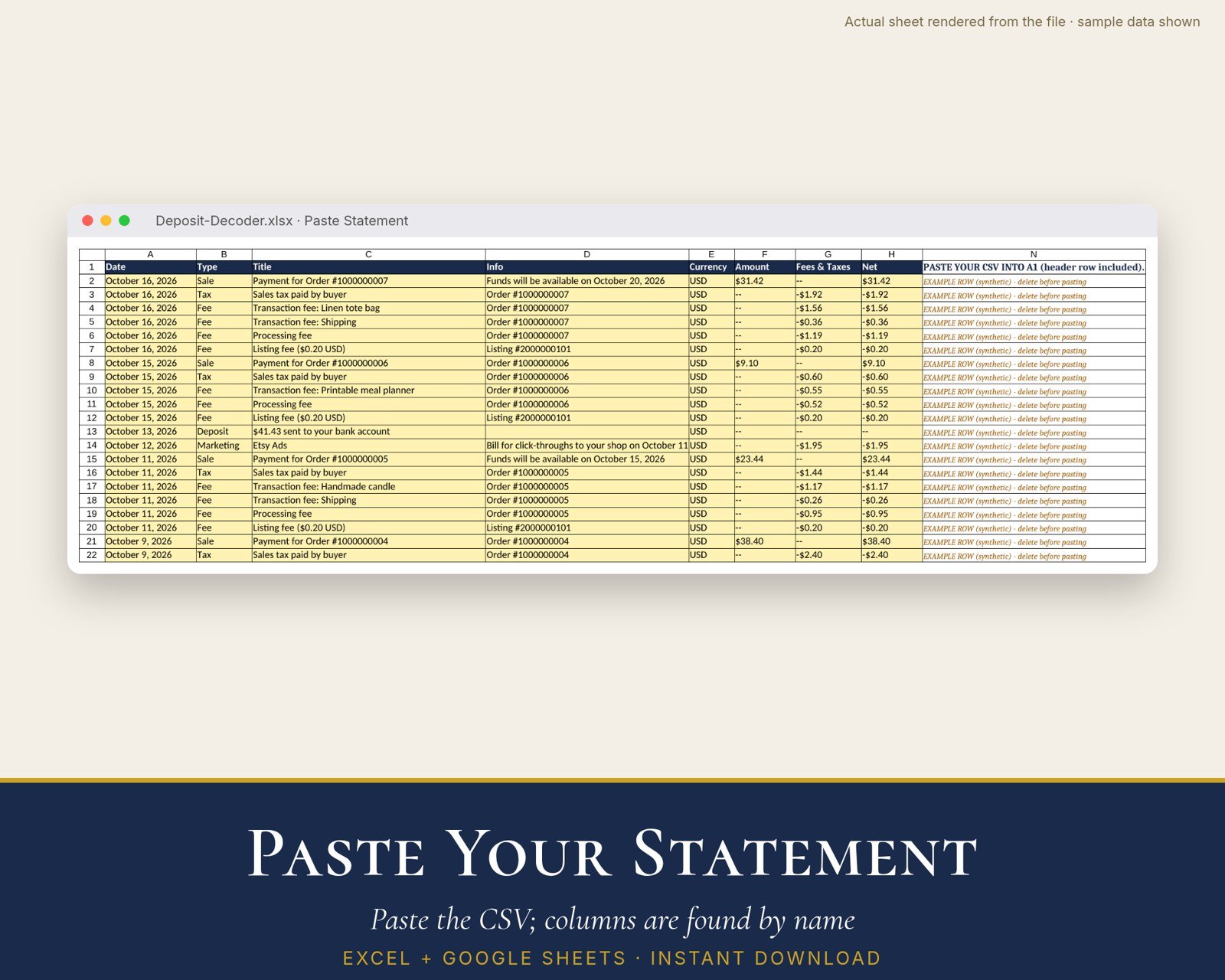
- Paste the monthly statement CSV (header row included). Column order doesn’t matter. A Column Check tab confirms every column it needs was found.
- Deposits tab: one row per deposit, showing sales, sales tax passed through, refunds, fees (including tax/VAT on fees), marketing, labels, other, the activity net, sales on hold, the difference, and a plain-English status: “TIES”, “TIES after holds” or “Check”
- An optional bank amount column to confirm each deposit arrived
- Month Summary: transaction, processing and listing fees, fee credits, Offsite Ads, Etsy Ads, labels, net activity and deposits, each as a % of sales
- Order Lookup: type an order number to see what the buyer paid and what you kept after fees and refunds
- Reads money written as text (-$0.86, “–“) or as numbers, and dates like “October 2, 2026” or “2 October, 2026”
- Stack two months to decode deposits that span a month end
- Includes a synthetic practice CSV
- Made for Excel 2019+/Microsoft 365, Google Sheets and LibreOffice (tested by the maker in LibreOffice only)
What’s included:
- Deposit-Decoder.xlsx (7 tabs: Start Here, Paste Statement, Column Check, Deposits, Month Summary, Order Lookup, Work)
- Deposit-Decoder-Guide.pdf (3-page quick-start guide)
- SAMPLE-synthetic-monthly-statement.csv (fictional practice data)
- OPEN-IN-GOOGLE-SHEETS.txt
Honest testing note and fine print:
- Built to the statement CSV columns Date, Type, Title, Info, Currency, Amount, Fees & Taxes, Net and Tax Details. Etsy Help documents the download and the Type and Info fields. [1] The full header list comes from public third-party descriptions [2][3] and may change.
- Tested only with synthetic sample data. It has not been tested against a real exported file. If a column is renamed, Column Check shows NOT FOUND.
- Rows are grouped by date. Activity on the same day as a deposit counts toward the next deposit.
- Money must use a dot decimal ($, £ or € signs are OK). One currency per file. Limits: 2,000 rows, 60 deposits.
- Not tax or accounting advice. Deposit Decoder is an independent product of Real World Solutions Online. It isn’t affiliated with, endorsed by or sponsored by Etsy, Inc. “Etsy” is a trademark of Etsy, Inc., used only to describe file compatibility.
- Digital download. Licensed for your own shop.
Sources for claims: [1] Etsy Help Center article “How to Calculate Your Etsy Payments Deposit Amount” (opened Nov 14, 2026; cited by title only, no link). [2] Search-index excerpt of a third-party description of the statement columns (not opened directly; Peak Apps Studio, cited by title only, no link). [3] Search-index excerpt of another third-party column description (not opened directly; GitHub issue firsttris/haben #296, cited by title only, no link). Also opened: Etsy Help Center article “How to Download a Spreadsheet of Your Sold Transactions” (cited by title only, no link). It lists the order and deposit CSV types but no full column schema, which is why the Orders CSV is not used.


Reviews
There are no reviews yet.